VIRTUAL STUDIO · HOW IT WORKS
Five stages, visible the whole way
A shared workspace only matters if the process running inside it is actually defined. Every project moves through the same five stages, from a digitally signed agreement to handover, with review rounds tracked against every milestone in between.
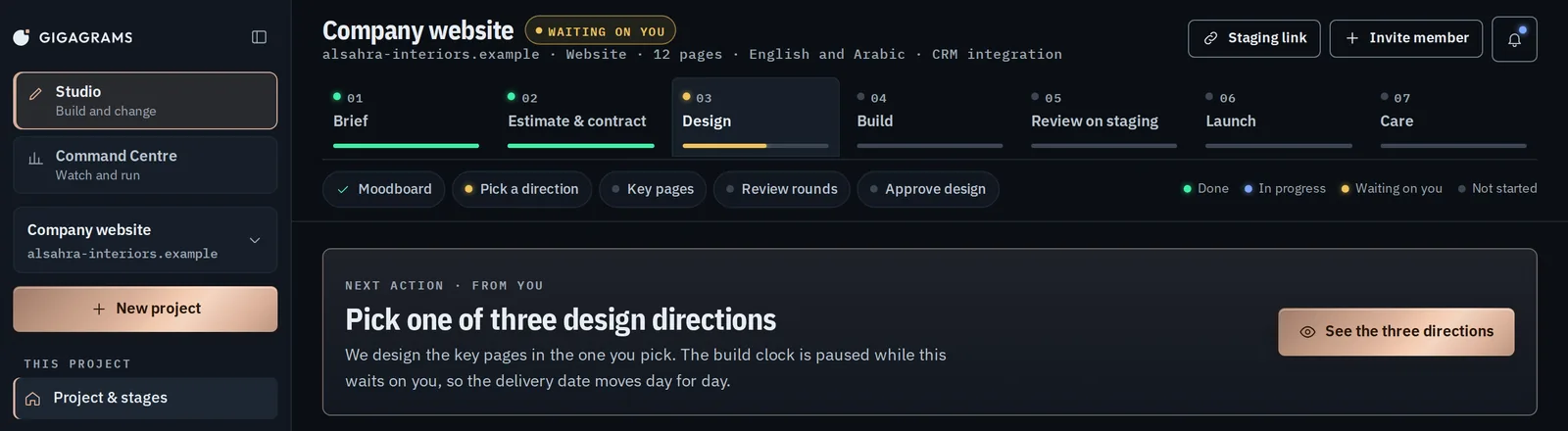
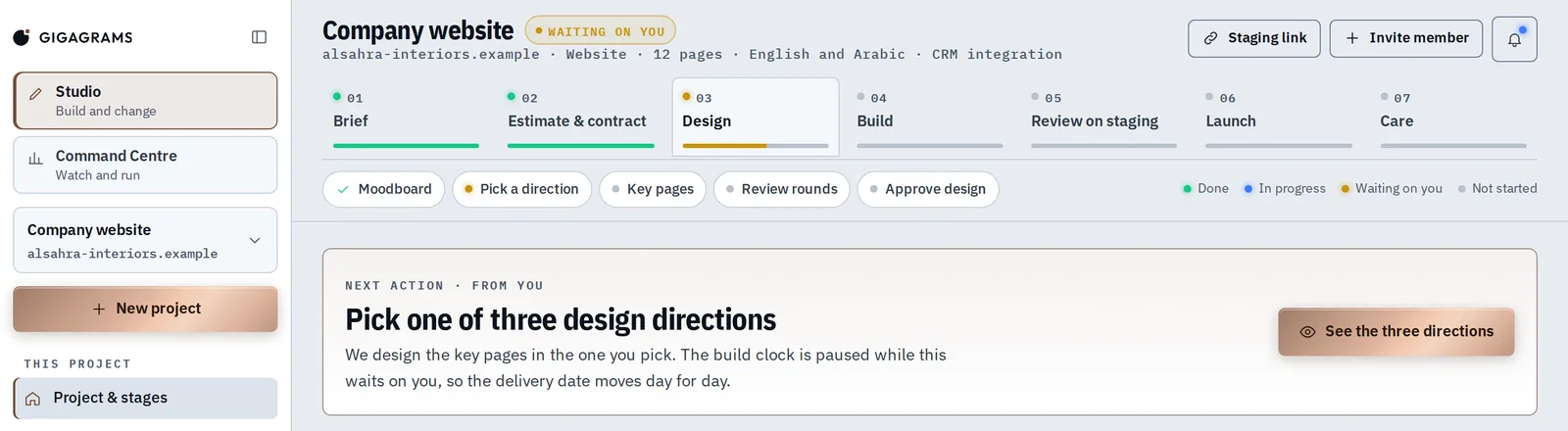 Prototype, example data
 Estimate and agreement, signed inside your account
No PDF emailed back and forth. The estimate is reviewed and signed digitally, inside the same account you will use for the rest of the project.
Milestones and review rounds agreed upfront
Each milestone carries a maximum of three review rounds, written into the agreement before work starts, not negotiated once it is underway.
Work happens visibly, as it happens
Steps, documents and comments update in the workspace as the team moves, rather than waiting for a status call or a summary email.
Review rounds used against each milestone
Feedback happens inside the workspace, tracked against the three-round limit, so both sides can see how many are left at any point.
Handover, ownership transferred
Code, servers, domains and data move into your name. The workspace stays available for documents and sign-off history after the project ships.
ON SCREEN
The same stages, in the Studio
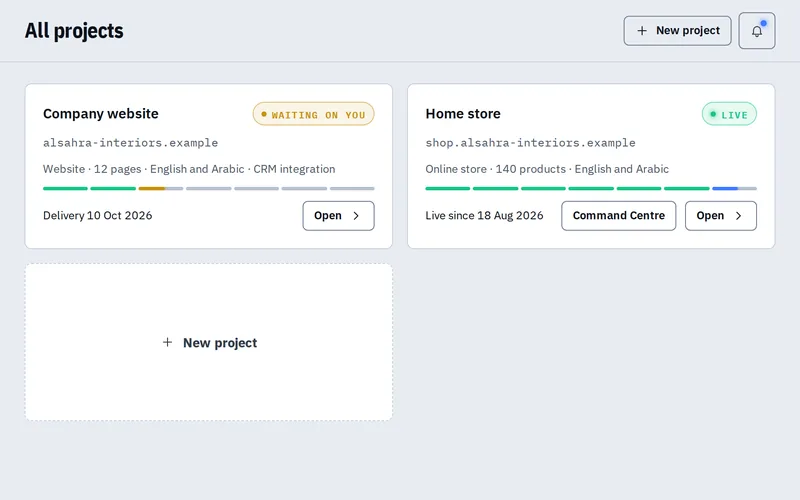
Screens of the Studio prototype. Every name and figure on them is example data.
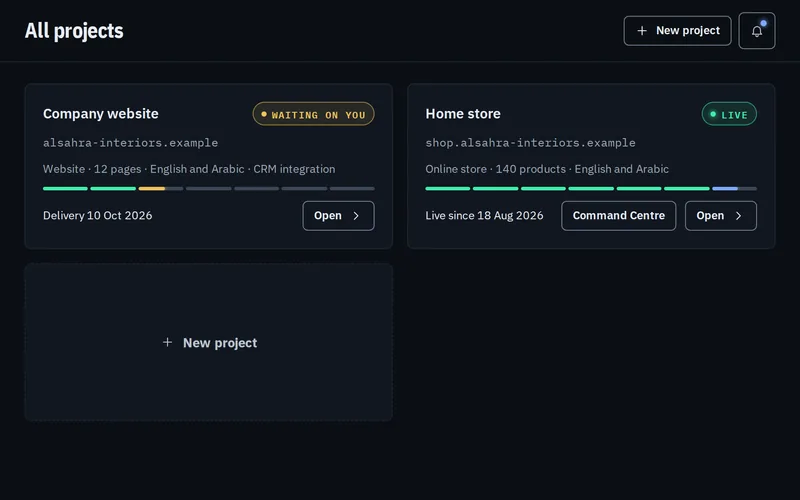
 Prototype, example data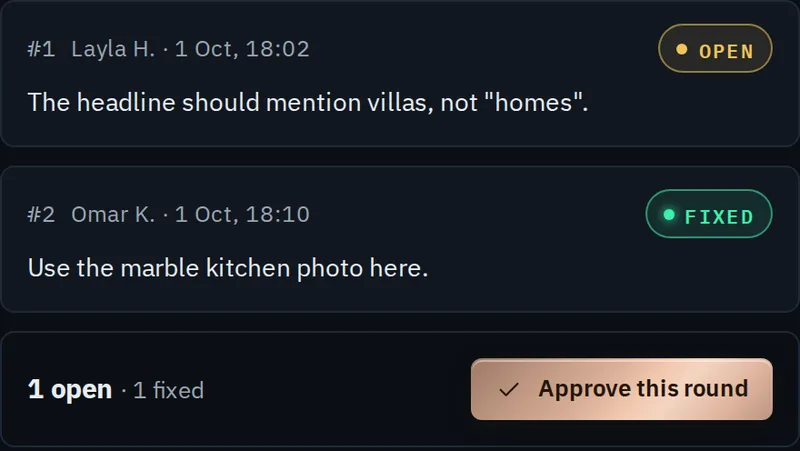
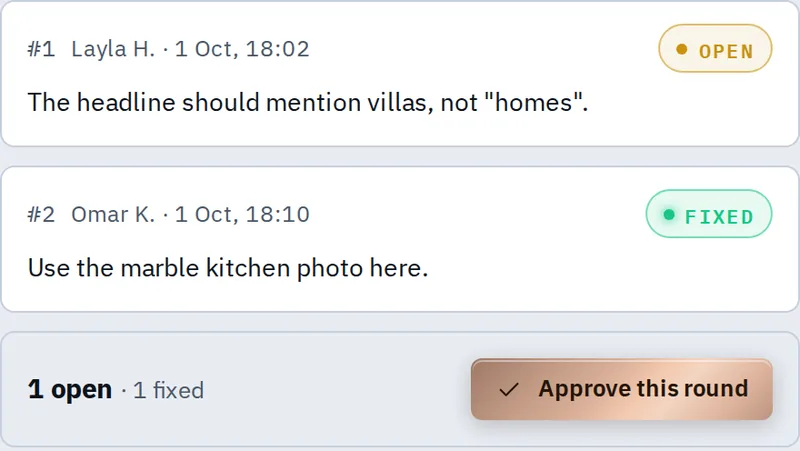 Prototype, example data
 STRAIGHT ANSWERS
Questions about how it works
The ones that come up before anyone signs anything.
No. It runs in a browser, reached by logging into your own account with email, Google, or another provider where possible. Nothing to download or configure.
You use one of the three review rounds attached to that milestone, agreed before work started and visible in the workspace as you use them. A disagreement gets resolved inside the process, not as an unplanned extra round nobody priced in.
You and the specific team members assigned to your project, consistent with the zero trust principle applied everywhere else: nobody gets standing access to a client account by default.
Documents and sign-off history remain accessible in your account. The workspace does not disappear the moment a project ships, since a care plan or a future milestone may reuse it.
See it before you commit to anything
A read-only demo workspace is open to browse, no account needed.